FB Personal Account Login – Cookie Import Method
facebook6 viewsUpdated at 10/9/2026
https://chromewebstore.google.com/?utm_source=ext_app_menu,
Download Cookie Editor from the Google Chrome Web Store.
Select the Facebook page and import the cookie. You will be prompted to refresh the page, and after refreshing, you will be logged into Facebook directly.
Step 1:
Download the Chrome extension: https://chromewebstore.google.com/?utm_source=ext_app_menu
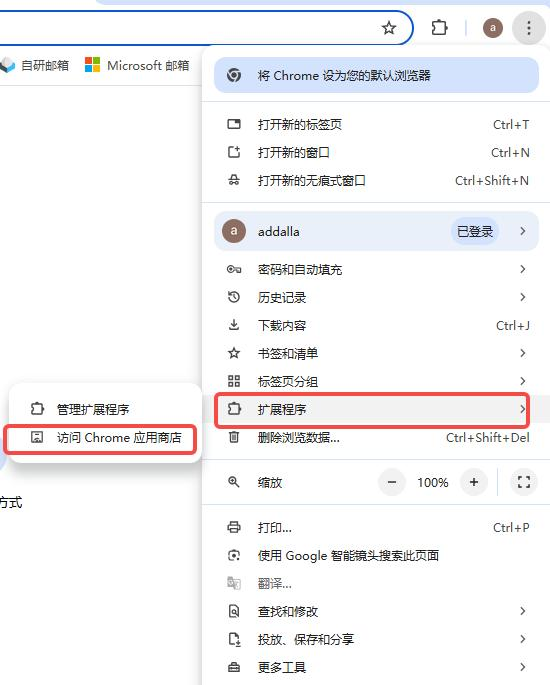
Step 2:
Search for "Cookie Editor" in the Chrome Web Store and download it.
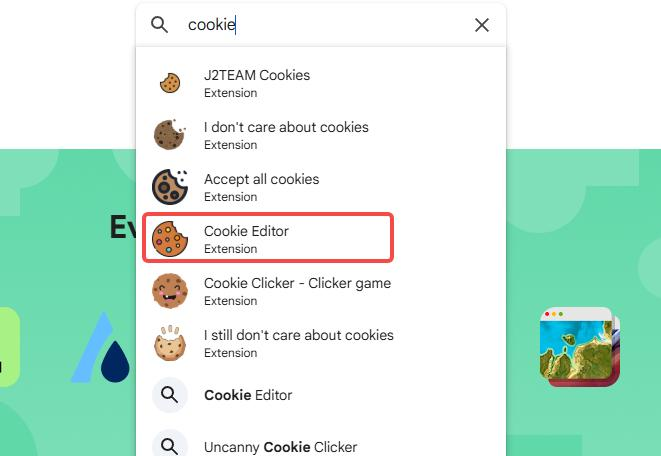
Step 3:
Install the extension.

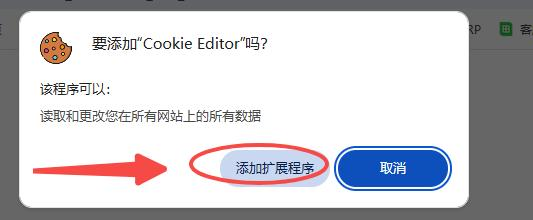
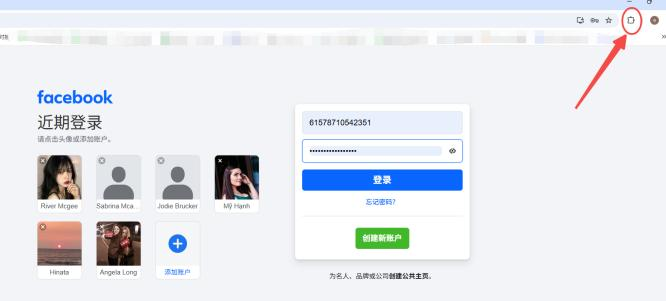
Import Instructions:
On the Facebook login page, click Extensions → Cookie Editor.
Select the Facebook page and import the cookie. You will receive a prompt to refresh the page. After refreshing, you will be logged into Facebook directly.
Was this article helpful?