Facebook: Open an ad account with us
Facebook: Open an ad account with us
I. Choose an Account Opening Method
We provide three methods for opening Facebook Ad Accounts:
1. Customized Account Opening
We provide the business entity and Facebook Page for you, and create the ad account using your BM name.
You need to provide your BM ID and personal profile link.
2. Ready-Made Account
A pre-registered Ad Account. You need to provide your BM ID and personal profile link to receive the ad account and Page.
3. Self-Service Account Opening
You create the ad account yourself through the OE link we provide.
We only assist with the review process after you upload the required materials.
II. Required Materials
1. For Customized or Ready-Made Account Opening
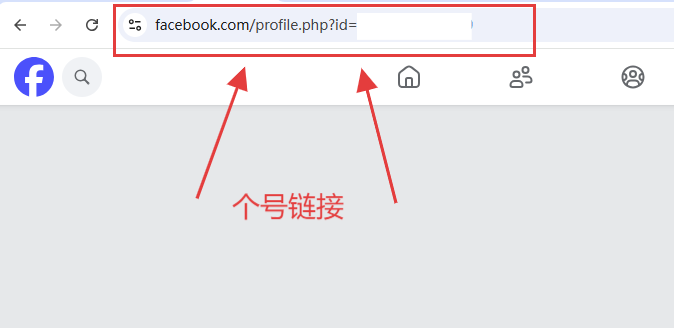
You need to provide the BM ID and personal profile link. For overseas accounts, only the BM ID is required.
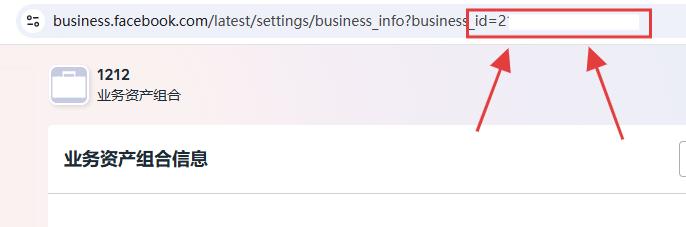
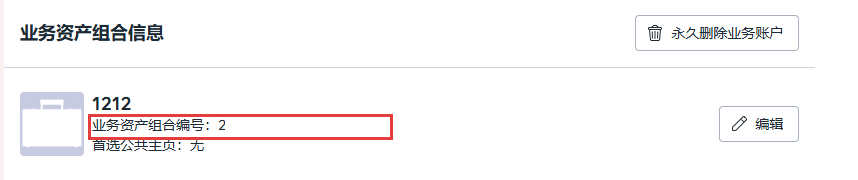
- How to find your BM ID:
- At the end of URL: business_id=;
- Or go to BM → Settings → Business Info.
- How to find your personal profile link:
2. For Self-Service Account Opening
You will need:
- A Facebook personal account (able to receive verification codes via phone).
- Company name (in both Chinese and English).
- Registered address.
- Unified Social Credit Code.
- Business license (image format).
- Official website link, Facebook Page, and promotion link, etc.
III. Process
1. For Customized or Ready-Made Accounts
Provide your BM ID and personal profile link so we can open the ad account and complete authorization.
2. For Self-Service Account Opening
(1)Click the OE link and log in with your Facebook account.
(2)Enter your phone number to receive the verification code.
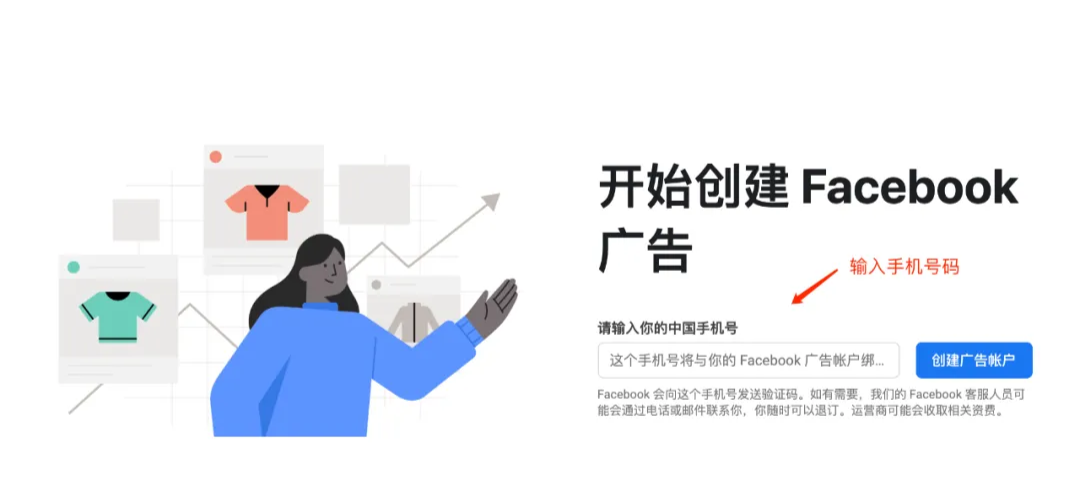
(3)Click "Create an ad account"
(4)Enter your company information.
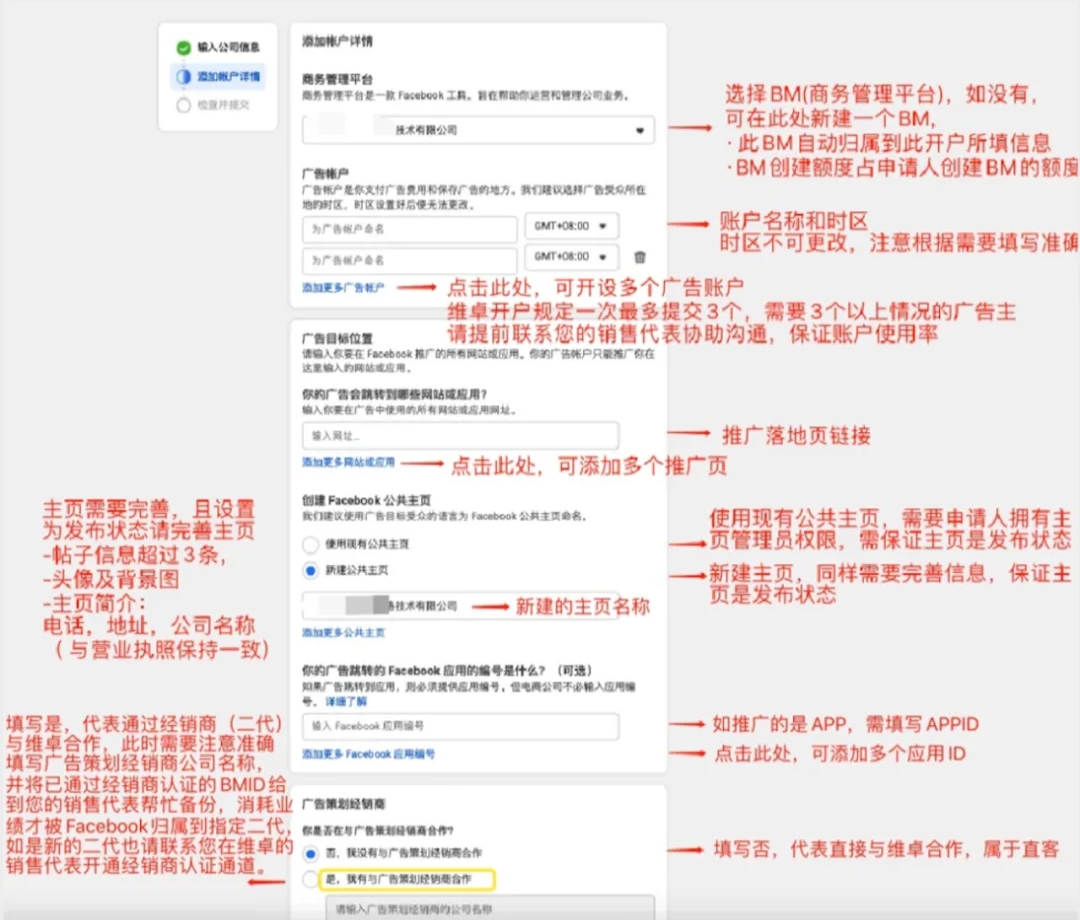
(5)Add account details.
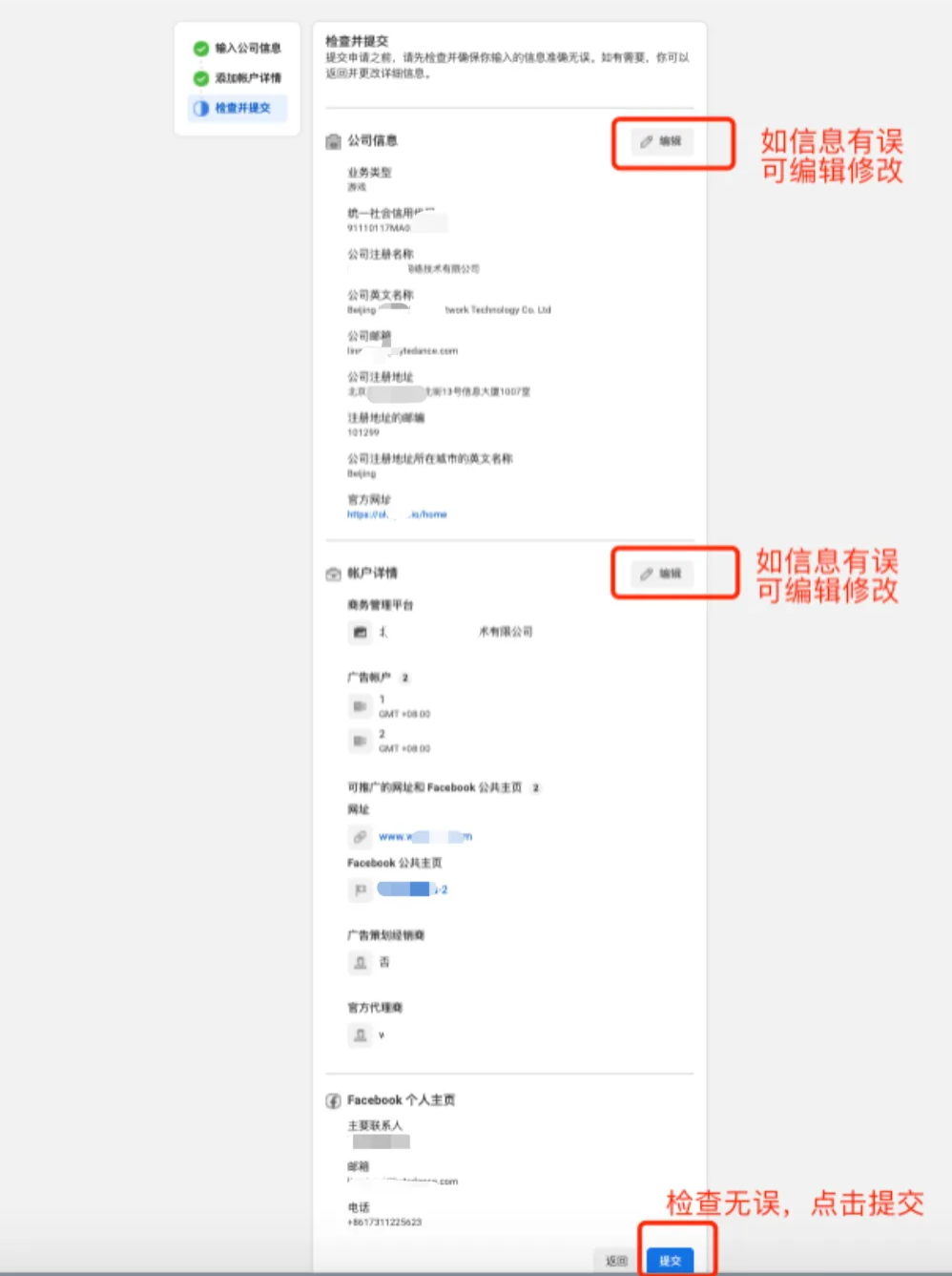
(6)Review and submit.
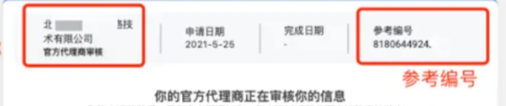
(7)After submission, provide us with the reference number, and we will help you complete the application.
Was this article helpful?