Accept access for a page & Personal Profile Link Retrieval
facebook5 viewsUpdated at 10/9/2026
Accept access for a page & Personal Profile Link Retrieval
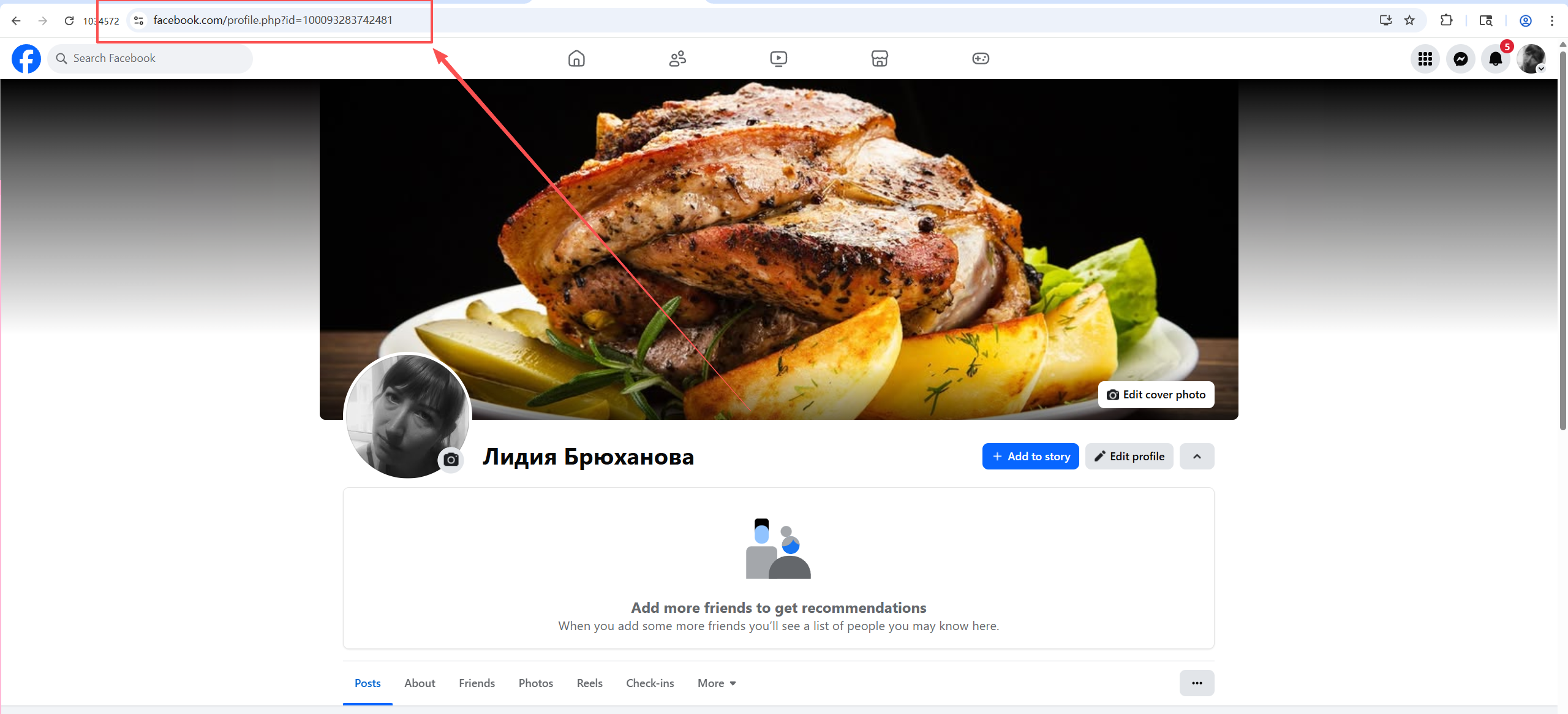
1. How to get the personal-profile link
Click to open the personal profile
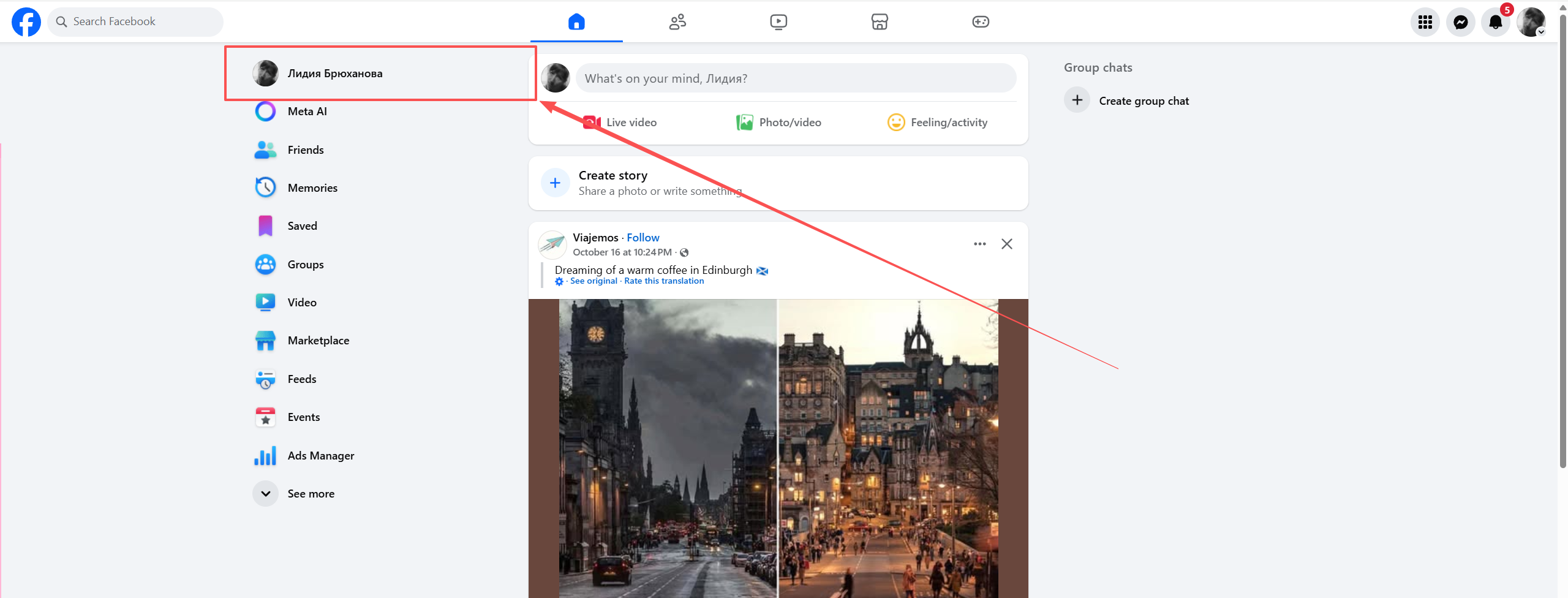
the URL of the profile page is the personal-profile link.
2. Accept access
If you're not friends with the admin who sent you an invitation for access, you'll need to accept the invitation before you can access the Page.
After you've been invited to have access on a Page, you'll receive either a notification or an email.
Accept an invitation for access on a Page
- From your emails:
- Click Review Invite in the email.
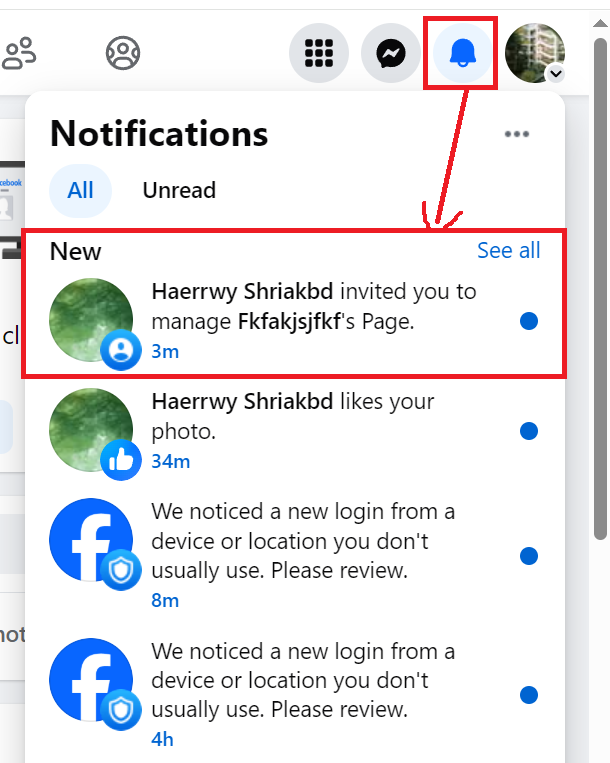
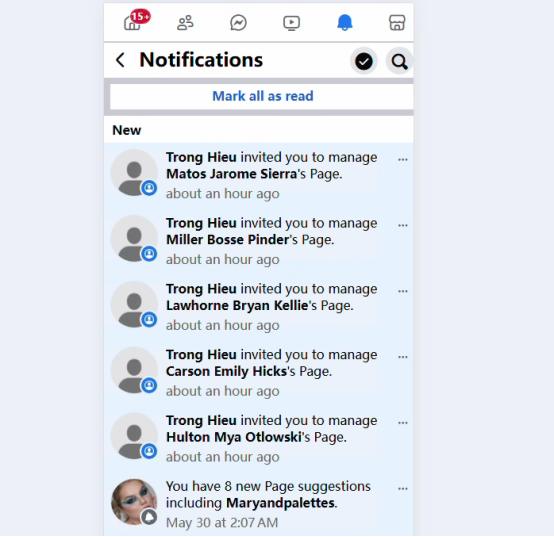
- From your notifications:
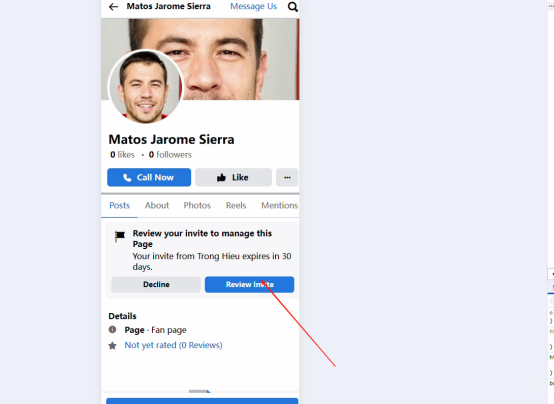
- Click the notification, then click "Review Invite".
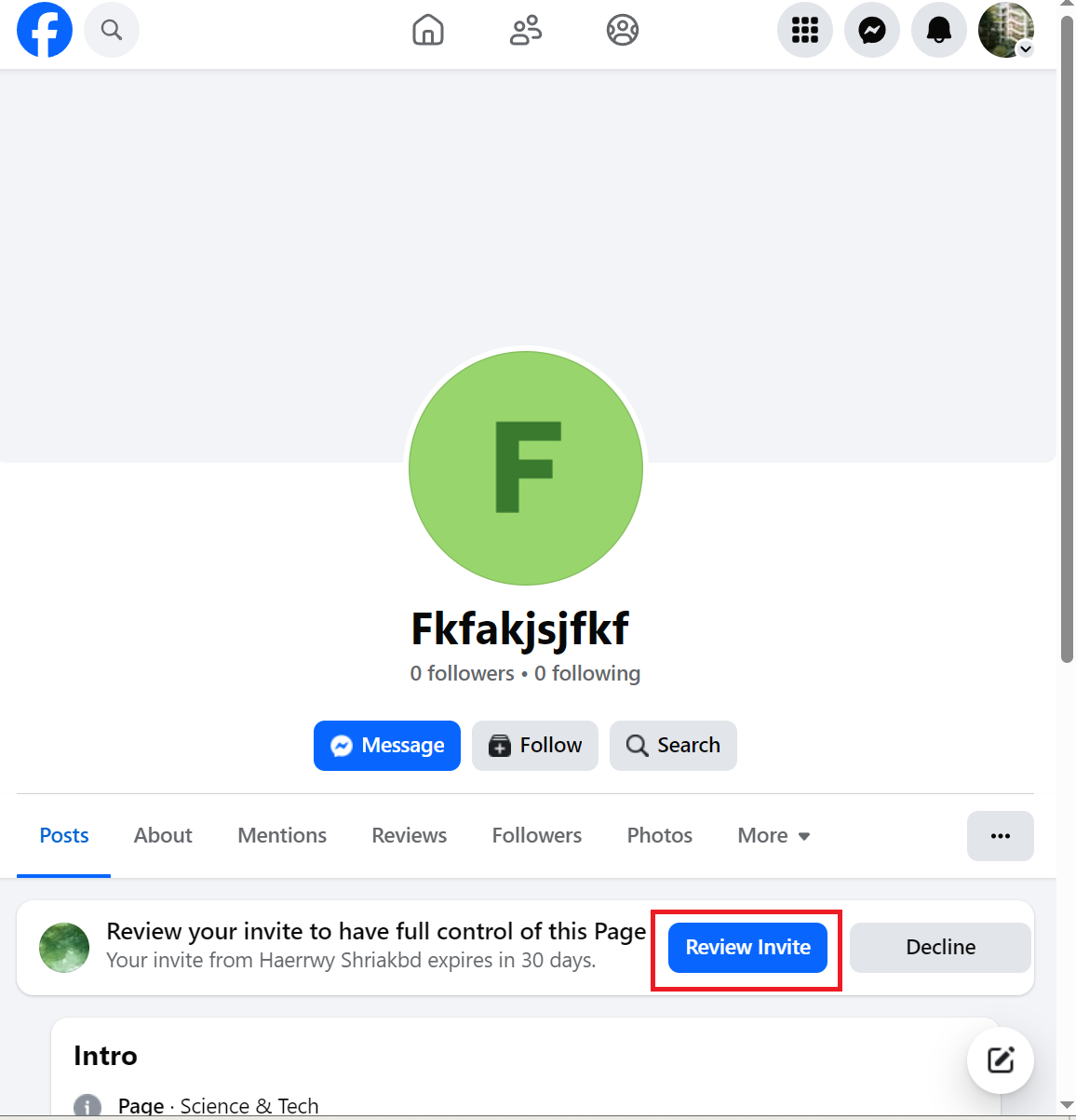
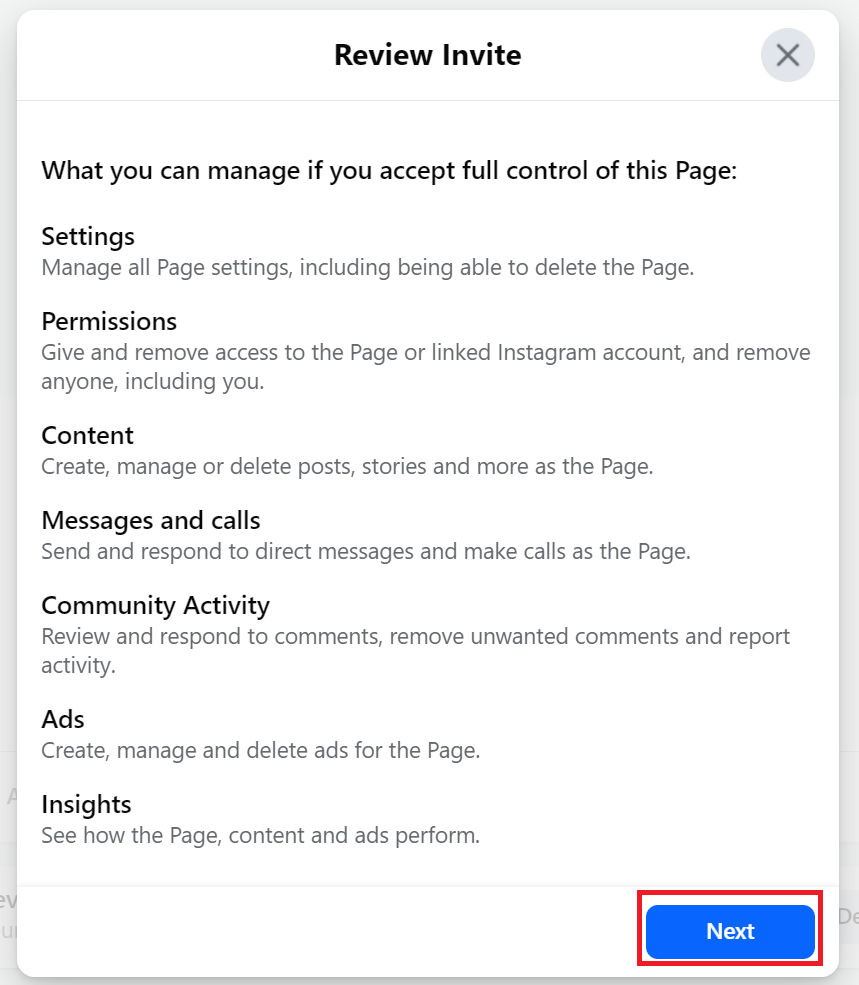
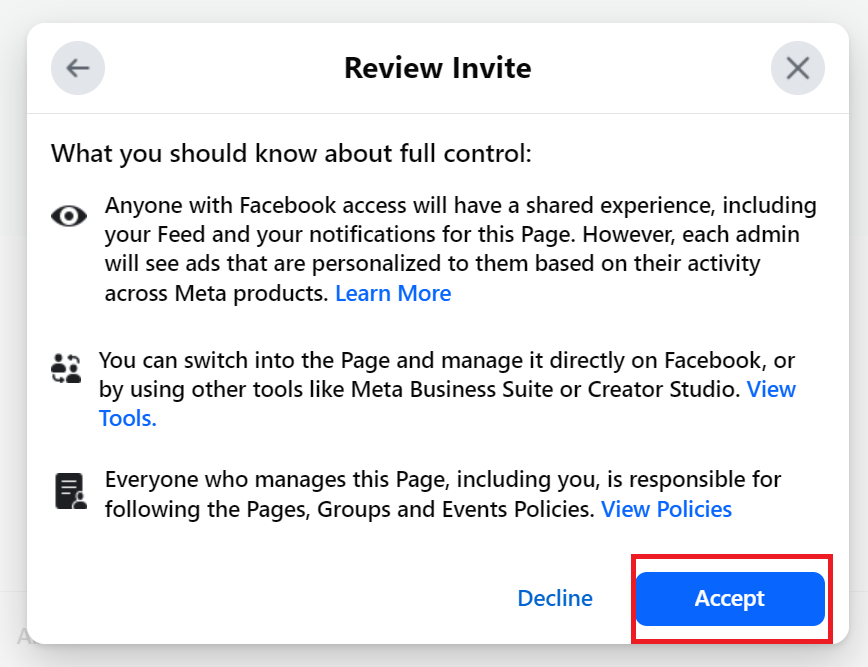
- Click "Next", then click "Accept".
3. Exception: required to check WhatsApp messages
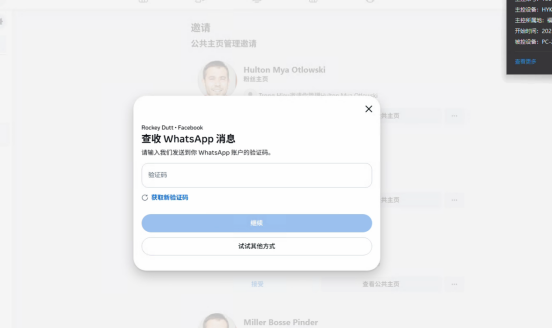
After accepting the page invitation, you will see the WhatsApp message screen. Then, you can:
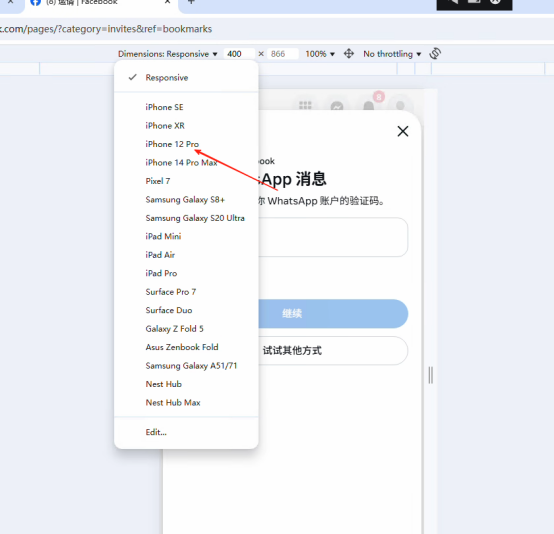
- Open the DevTools by holding down “F12” on your keyboard.
- Click on Toggle device tool (as shown below).
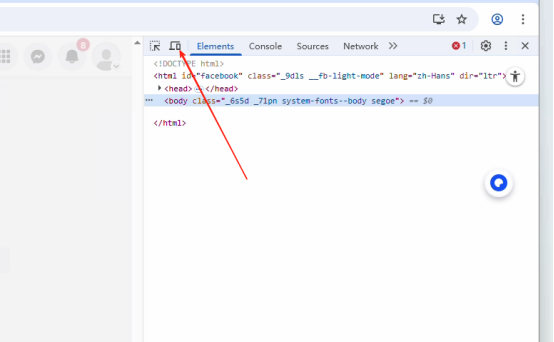
- Click on “Dimensions Responsive” at the top and select a random cell phone model.
- Refresh the interface, find the page authorization notification and click "Review Invite" to complete the page reception.
Was this article helpful?